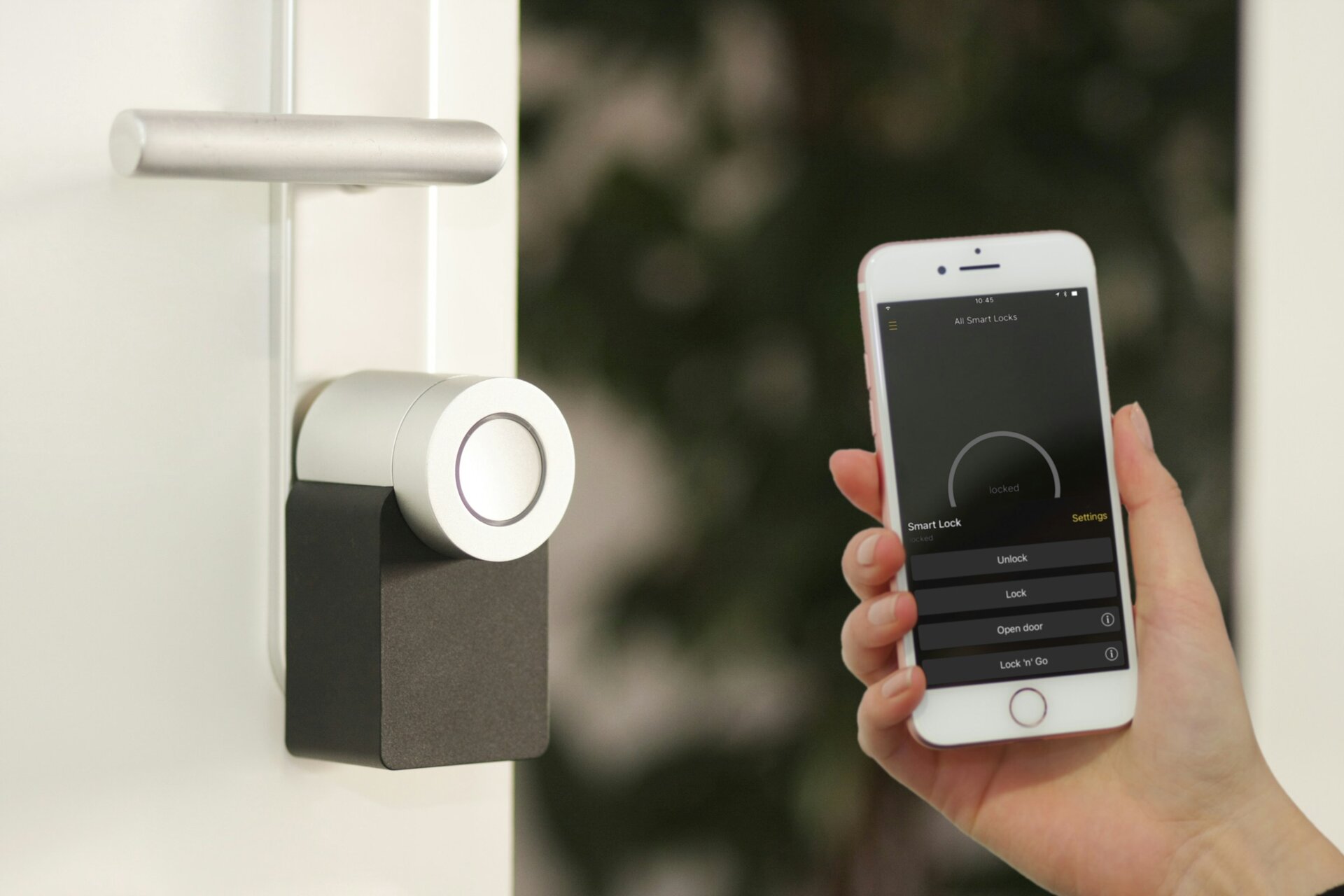
Smart Locks in NYC Co-Ops: Allowed, Banned, or Tolerated?
A SwiftLocksmith client in a 1928 Upper West Side co-op wanted a Yale Assure Lock 2 on their apartment door. They were prepared for a fight with the board. They sent a one-paragraph email to the managing agent on a Tuesday. They had written approval by Friday. The install happened Saturday morning.
A different client, same week, different building: a 1965 mid-century Murray Hill co-op told them no smart locks of any kind, ever, board ruling. The exact same model was banned outright.
Smart-lock policy in NYC co-ops is wildly inconsistent. Some buildings have a written rule. Most do not. The outcome of any individual install depends less on the model and more on how the request is framed. Here is the field guide.
What boards actually worry about
Three things, in order:
1. Emergency access. Co-op buildings hold master keys for emergencies (flood from above, gas leak, wellness check on an elderly resident). A lock that defeats this access is a problem for the building, not just for you. Smart locks that lock out the building's master cylinder cause a board to say no.
2. Fire code. New York City Fire Department rules require that the inside of a residential apartment door be openable from the inside without a key, in one motion, with one hand. A smart lock that fails (dead battery, software bug, broken motor) and traps an occupant during a fire is a fire-code violation and a liability claim against the building's insurance.
3. Door integrity. Most NYC apartment doors are fire-rated. Drilling extra holes to install a smart lock can void the fire rating. Smart locks that replace the existing deadbolt body entirely sometimes change the hardware footprint enough to require re-rating.
Smart locks that address all three of these concerns get approved. Smart locks that ignore them get banned.
Models that almost always get approved
Three models that pass the "doesn't break anything" test for most NYC co-ops:
August Wi-Fi Smart Lock (Gen 4 or later). This model installs behind the existing deadbolt, replacing only the interior thumb-turn. The mechanical cylinder on the outside stays intact, the building's master key still works, and from the inside the lock still operates manually if the motor dies. Most boards approve August because nothing about the public side of the door changes. Photo of the hallway side: indistinguishable from a non-smart unit.
Yale Assure Lock 2 (with keyway, NOT the keyless version). This replaces the deadbolt body but keeps a backup mechanical keyway on the outside. The building's super can still rekey to a master cylinder. If the battery dies, a physical key opens it. Boards approve this regularly when residents specify the keyway version.
Schlage Encode (Wi-Fi version with keyway). Similar profile to the Yale: smart features plus a backup mechanical cylinder. Schlage's name carries weight with co-op boards because the brand has shipped non-smart deadbolts for 100 years; approval comes faster on familiarity.
In all three cases, the install is a 30-60 minute job by a DCWP-licensed locksmith, with a working physical key handed to the super at the end.
Models that usually get banned
The opposite pattern. Some smart locks have features that consistently trigger board concerns:
Keyless-only smart locks (no physical keyway anywhere on the door). If the battery dies, the motor fails, or the Wi-Fi network goes down at a bad moment, the resident is locked out and the building's emergency access is gone. This is the #1 reason boards say no.
Smart deadbolts that replace the original deadbolt body without re-keying to the master. If your replacement does not accept the building's master cylinder, the super loses emergency access. Some boards reject the install on this alone.
Connected door handles instead of deadbolts. Some smart-lock products replace the door handle, not the deadbolt. Boards often require both a deadbolt AND a passage handle; a smart product that combines them changes the hole pattern and the lock count.
Brands with poor service records. A few smart-lock brands have shipped products with documented security vulnerabilities (Bluetooth bypass attacks, default-password Wi-Fi modules). Boards that read security press will exclude those brands by name.
The "no smart locks at all" board
Some buildings ban smart locks outright. Reasons vary:
- The building had a smart-lock-related incident (a battery-dead lockout, a board member who got locked out of their own unit).
- The managing agent does not want to learn the procedure for handling smart-lock master-keying.
- The board has elderly residents who prefer mechanical keys, and a board majority that respects that preference.
- The building is on a historic-preservation list that restricts exterior hardware changes.
If your board has banned smart locks outright, you have three paths:
- Accept it. Use a high-quality mechanical lock and skip the smart features. Most NYC apartments do not lose much by going without.
- Lobby for a policy change. Bring the actual approved models (August, Yale Assure with keyway, Schlage Encode) to a board meeting with the safety profile and the master-keying procedure. Many bans are based on outdated assumptions; an informed presentation occasionally moves the policy.
- Sell your shares and buy in a building with a permissive policy. Less of a joke than it sounds. Some buyers shop for buildings with technology-friendly boards.
How to write the request email
Boards meet monthly. Your request needs to be self-contained because the board will likely vote on it without you in the room.
Template, adjust to your situation:
Subject: Smart lock install request, [Apartment #]
Dear [Managing Agent / Board],
I would like to install a [Yale Assure Lock 2 with keyway / August Wi-Fi Smart Lock / Schlage Encode] on the entry door of [Apartment #]. Attached is the manufacturer spec sheet.
Three points relevant to building policy:
The lock retains a [physical keyway on the outside / the existing deadbolt cylinder behind it], so the building's master-key access is preserved. I will provide the super a working physical key at install.
The lock has a battery-operated motor with a [low-battery warning / 9V battery jump terminal / mechanical key override] so a power failure does not lock anyone in or out.
The install will be performed by [SwiftLocksmith, DCWP-licensed and insured]. A Certificate of Insurance is available to the building on request.
Happy to discuss with the board if useful.
[Name, Apartment, Phone]
That email gets a yes from most boards within two weeks. Skipping it (just installing) gets a violation notice and a fine.
What we install and what we won't
SWIFTLOCKSMITH installs all major approved smart-lock models. We do not install:
- Keyless-only models on apartment doors in NYC co-ops, regardless of resident preference. The fire-code and emergency-access risk is too high.
- Smart locks on doors that lack a fire-rated deadbolt option. Some old apartment doors are too thin for a keyway-equipped smart deadbolt. We will tell you on the call if your door is one of these.
- Brands with active security vulnerabilities (we keep a private list of brands with documented exploits and decline new installs on those until a patched generation ships).
For the install of the approved models above, the process:
- We confirm the model with you, and optionally with your managing agent directly.
- We arrive with the lock, mounting hardware, and replacement screws (3-inch where applicable).
- We install in 30-60 minutes, with the building's master cylinder preserved or re-keyed depending on the model.
- We hand a fresh physical key to the super.
- We give you a written invoice with the model, the install procedure, and a 30-day workmanship warranty.
For related work, see our smart lock installation service, high-security lock service, and our broader co-op door lock rules guide.
Call (844) 912-1908 to confirm what your specific building allows before you order the hardware.
Related reading. For pricing, see smart lock installation cost in NYC.
Frequently Asked Questions
Can I install a smart lock myself and skip the locksmith? You can, mechanically. But most co-op proprietary leases require any lock change to be performed by a licensed locksmith for the building's insurance reasons. Self-installs that come to a board's attention get violation notices. Hire the install; the cost is small relative to the fine.
My building has no written smart-lock policy. Does silence mean yes? No. Silence usually means the question has not been asked. The first resident to install a smart lock sets the de facto policy for the building. Get something in writing before you install, so the next resident in your unit (or the next board) cannot retroactively call your existing install a violation.
Will a smart lock void my building's insurance? Almost never. Standard NYC co-op building insurance does not specifically exclude smart locks. The board's concern is fire-code and emergency access, not the insurance carrier's underwriting.
Can the building demand admin access to my smart lock app? Some buildings ask. Most do not. If they do, the cleanest answer is to maintain a separate building-admin login on the app that the super can use to unlock in emergencies, while you keep the primary user account. August, Yale, and Schlage all support multiple users with different permission levels.
What if the smart lock fails while I am inside? All three approved models above (August, Yale Assure with keyway, Schlage Encode) allow you to manually operate the deadbolt from the inside via a thumb-turn or interior knob, regardless of battery state. From the outside, the keyway lets you in with a physical key. Build that fallback into your routine: keep a physical key in a labeled spot.
Does the building's super need to know how to use the smart lock? Only the master-cylinder side. The super uses a physical key to gain emergency access. They do not need to download the app or learn the Wi-Fi settings. That is the resident's responsibility.
How long does a smart lock install take? 30-60 minutes for August, Yale Assure, and Schlage Encode on a NYC apartment door with an existing deadbolt cutout. Add 15 minutes if the building requires us to fill old screw holes or replace a damaged door wraparound.
Need Expert Help?
If you have questions about any of the security solutions discussed in this article, our team is ready to provide expert guidance.
Call us at (844) 912-1908 for a free consultation or to schedule a service.