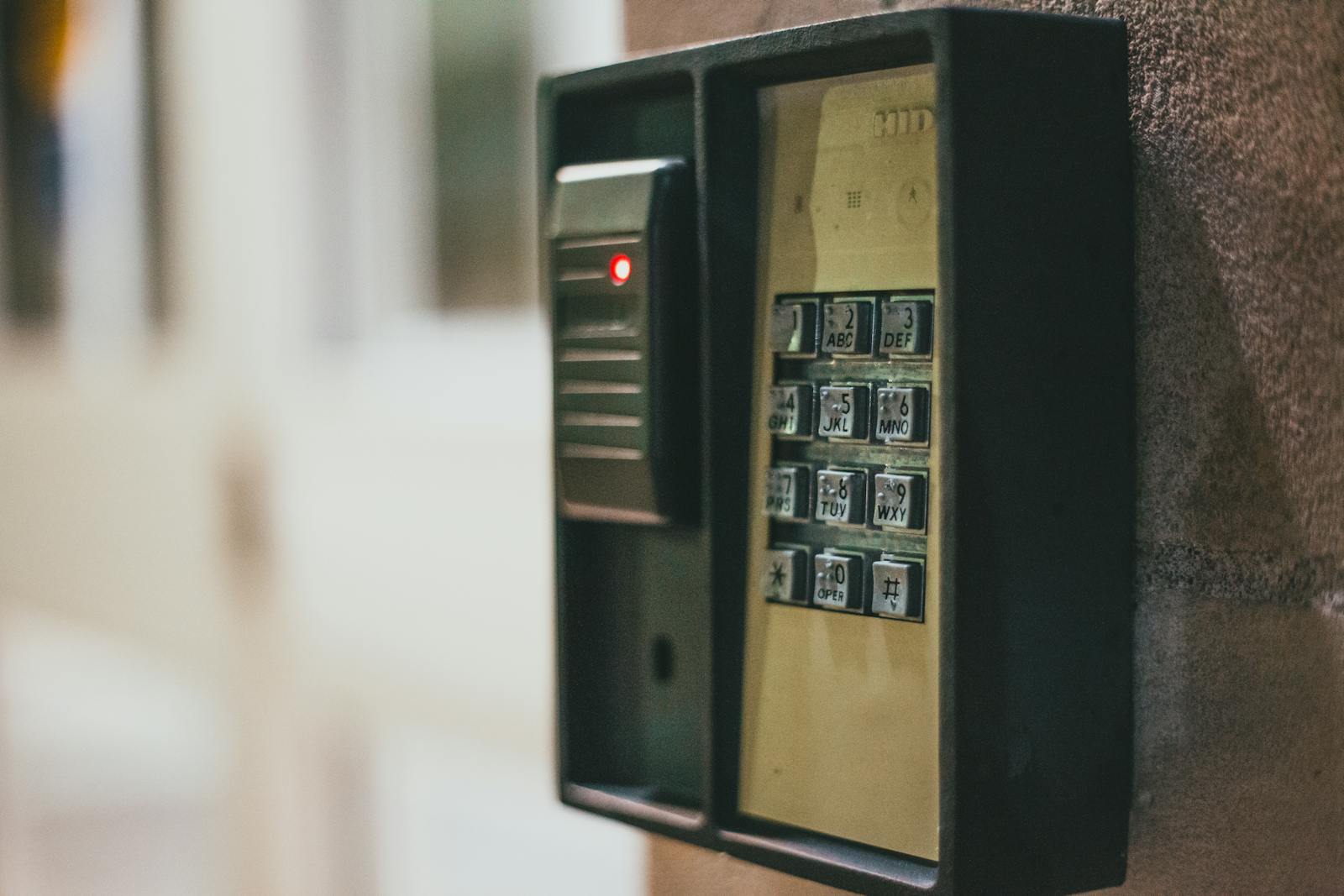
Keypad and Keyless Door Locks in NYC: A Practical Guide
The appeal is obvious. No key to forget, no key to lose, no key to copy and hand back. You punch a code, the door opens, and you give the cleaner a temporary code instead of a key you have to chase down later. Keypad and keyless locks are the fastest-growing category we install in NYC homes and small businesses. They also introduce failure modes a metal key never had, and a few of them get people locked out or fined. Here is the practical version: how they work, what actually goes wrong, and which to buy for a NYC door.
The categories, plainly
"Keyless" covers a few different things:
- Mechanical keypad locks. A push-button code, no electronics, no battery, no app. Rugged and simple; you change the code manually. Common on back doors, offices, and shared entries.
- Electronic keypad locks. A battery-powered code pad, often with a backlit keypad and multiple user codes. Some keep a mechanical key backup; some do not.
- Smart locks. Electronic locks with connectivity (Wi-Fi, Bluetooth, Z-Wave), app control, temporary codes, and logs. We cover the co-op-specific version in our smart locks in NYC co-ops guide.
The single most important spec across all of them, for a NYC apartment, is whether there is a mechanical key override.
What keyless gets you
- No forgotten keys. The most common lockout cause, gone. Our own dispatch data shows forgot-the-key events lead residential lockouts; a code removes that category. See the breakdown in our lockout data post.
- Temporary and per-person codes. Give the dog walker a code that works 7 am to 9 am, the Airbnb guest a code that expires at checkout, the contractor a code you delete when the job ends. No key handoff, no key recovery.
- No key copying problem. You cannot leave a code at a hardware store. Revoking access is changing a code, not chasing metal.
- Logs (on smart models). You can see that the door opened at 3:10 pm, useful for households and small offices.
What goes wrong, and how to manage it
Keyless trades the lost-key problem for new ones. Know them before you buy:
- Dead battery. The number-one keyless failure. Manage it with a model that gives low-battery warnings well in advance, and ideally a 9V jump terminal on the exterior or a mechanical key backup. A keyless-only lock with a dead battery and no override is a lockout with no graceful exit.
- The "no mechanical key" trap. Keyless-only models are exactly what many NYC co-op boards ban, because a dead battery or motor failure removes the building's emergency access. We see these rejected regularly.
- Code hygiene. Codes get shared and stick around. Worn keypads can even reveal the four most-used buttons. Change codes periodically, delete old ones, and pick models that allow many distinct codes.
- Cheap electronics. Some budget smart locks have shipped with documented vulnerabilities. Stick to reputable brands with a service history.
- Fire code. Like any apartment lock, the inside must open freely in one motion. Reputable keyless locks handle this with an interior thumb-turn or lever; avoid anything that needs a code to get OUT.
What to buy for a NYC door
Our practical recommendations by setting:
A NYC apartment (rental or co-op): an electronic keypad or smart lock with a mechanical key backup that preserves the existing deadbolt or accepts the building master. Retrofit models that mount over the interior thumb-turn (leaving the exterior cylinder intact) are the easiest to get approved and the safest for emergency access. In a co-op, confirm board rules first, our co-op smart-lock guide covers what gets approved.
A small office or storefront back door: a rugged mechanical keypad or a commercial electronic keypad with multiple codes. For higher turnover, step up to access control where you manage credentials centrally and revoke instantly.
A short-term rental or frequently-shared unit: a smart lock with expiring per-guest codes and a log, plus a mechanical or 9V backup. The expiring-code feature is the whole reason to buy here.
Anywhere with a weak door: remember the lock is half the system. A keypad on a hollow door with stock strike screws still loses to a kick. Pair it with a reinforced strike, the point we make in our cheap-deadbolt breakdown.
Keys versus codes: the honest trade
A keypad does not make a door more pick- or drill-resistant; the cylinder and bolt still decide that. Connectivity and codes are about convenience and access management, not raw security. The strongest setup for someone who wants both is a quality keypad or smart lock built on a high-security cylinder: codes for daily convenience, a serious cylinder for the physical attack. The connectivity is the convenience layer; the cylinder is the security layer.
How we install and set it up
- We confirm your door and, for a co-op, what your building allows, so we do not install something that gets a violation.
- We recommend a model with the right backup (mechanical key or 9V) for emergency access.
- We install it, preserving the building master where required, and hand the super a working key if your building needs one.
- We set up your codes, show you how to add and delete users and temporary codes, and set the low-battery alert.
We are DCWP licensed and insured. See smart lock installation, lock installation and repair, and high-security locks. Call (844) 912-1908 and we will match a keypad to your door and your building's rules.
Frequently Asked Questions
What happens if the battery dies on a keypad lock? On a good model, you get low-battery warnings for weeks first, and many have a 9V jump terminal on the outside or a mechanical key backup so you can still get in. Avoid keyless-only models with no override, that is the setup that strands you.
Are keyless locks allowed in NYC co-ops? Often, if they keep a mechanical key backup and preserve the building's master access. Keyless-only models are frequently banned because they remove emergency access. Confirm your board's rules first.
Can I give someone a temporary code? On electronic and smart models, yes, that is a core feature: time-limited or expiring codes for cleaners, guests, and contractors, deleted when you are done. Mechanical keypads have one shared code you change manually.
Is a keypad lock as secure as a key lock? Against physical attack, security comes from the cylinder and bolt, not the keypad. A keypad on a strong cylinder is secure; a keypad on a weak one is not. The keypad's value is convenience and access control, not extra pick resistance.
Can the code be guessed or stolen? Worn keypads can hint at common buttons, and shared codes drift. Change codes periodically, use distinct codes per person where supported, and pick models that allow many codes. Treat a code like a password.
Do you install keypad locks for businesses? Yes. For a back door or small office, a rugged keypad works well; for higher turnover, we recommend access control so you manage and revoke credentials centrally. We will advise which fits your traffic.
Need Expert Help?
If you have questions about any of the security solutions discussed in this article, our team is ready to provide expert guidance.
Call us at (844) 912-1908 for a free consultation or to schedule a service.